
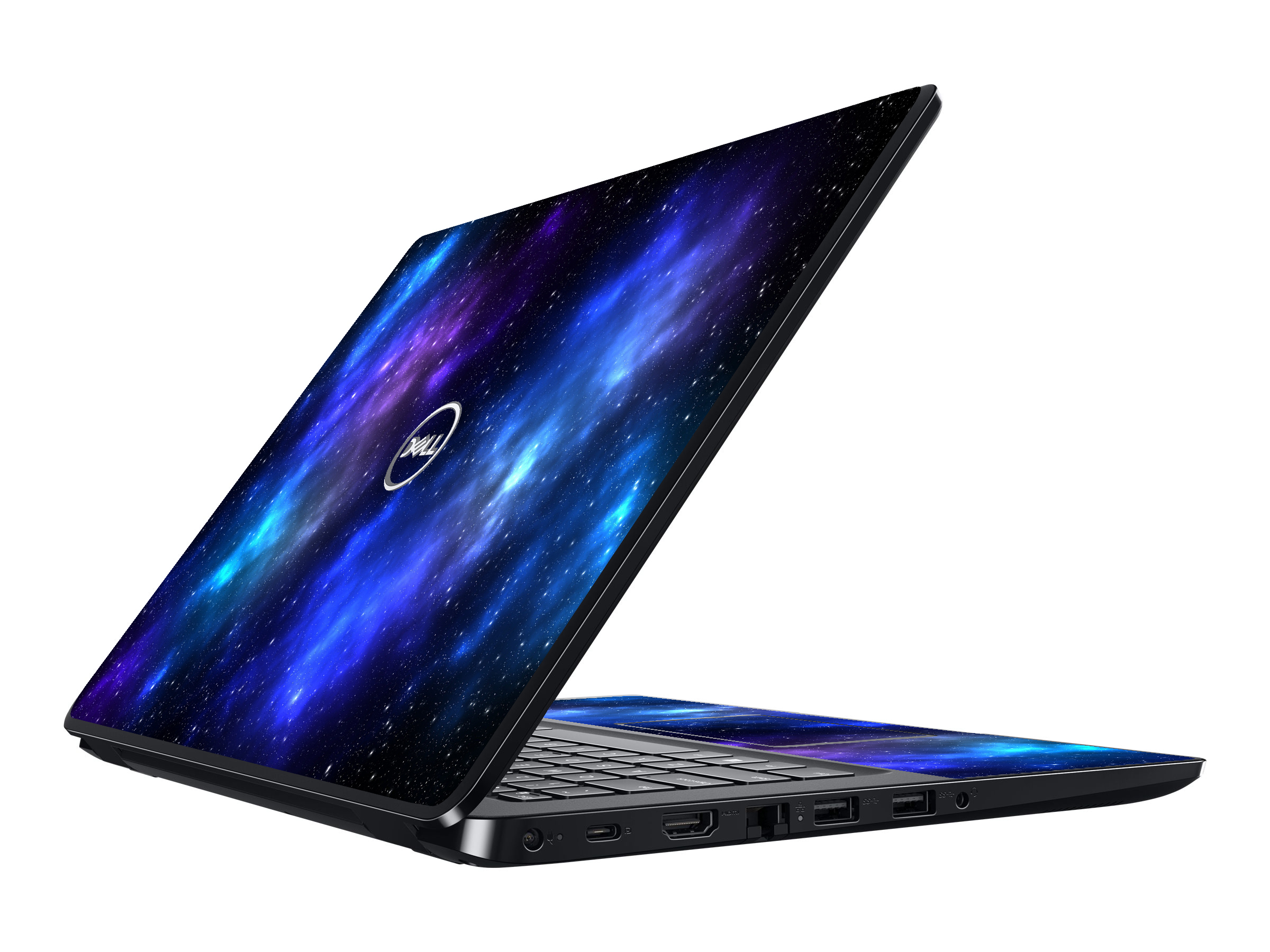
Dell Wyse 5470 NEBULA Laptop Skin
$22.99
In stock
SKU
Dell Wyse 5470 NEBULA
Our Printed Skins are manufactured from High-Quality, 3-mil materials, with a UV protective overlaminate added. Using a patented air-release system for easy application, you get a bubble-free installation every time. Each skin is precision cut on a computer controlled vinyl cutter for EXACT size and fit. We include the Skin and Application Instructions with every order.


Instructions
Things You'll Need

Paper Towels

Glass Cleaner

Included Lidstyles Application Tool
Application Steps
- Inspect your package for damage.
- Take note of enclosed instructions.
- Clean lid of laptop thoroughly with glass cleaner and paper towels. Make sure there is no sticker residue or leftover dust on your laptop lid.
- Once your laptop lid is clean, lightly wet the lid with glass cleaner.
- Remove your skin from the paper backing.
- Align the skin on the laptop lid.
- Lightly spray some glass cleaner on the laptop skin.
- Use a squeegee to remove the excess liquid from under the skin.
- Lightly dry the laptop skin with a paper towel.
- Apply any extra pieces, using the same method.
- Wait an hour to let the skin dry. When dry, seal the edges with your finger.
Customer Reviews
WHAT PEOPLE ARE SAYING...
Write Your Own Review